Sign Documents Online.
Securely.
Send, sign, and store legally binding documents from any device. Every signature is encrypted and recorded in a full audit trail, with a certificate of completion.
Free to start. No credit card needed.
Service Agreement
2 pages · Sent to 1 signer
4. Acceptance of Terms
Signature
Adam Smith
Date
Encrypted · Audit trail and certificate included
How electronic signatures work
From upload to signed
in four simple steps.
No printing, no scanning, no chasing. Send a document, let everyone sign from any device, and get the finished copy back.
- 01
Step 01
Create
Upload a PDF, add recipients by email or phone, and drag and drop fields like signatures, initials, and dates.
- 02
Step 02
Send
Click Send to notify recipients by email and text that their document is ready to review and sign.
- 03
Step 03
Recipients
Each recipient receives a unique link to review and sign their part, with a confirmation once completed.
- 04
Step 04
Completion
Once all recipients have signed, you will be notified and the completed document will be ready to download.
Free to start. No credit card needed.
Products
Three tools your team needs. One place to use them.
Electronic Signatures
Get documents signed by multiple parties
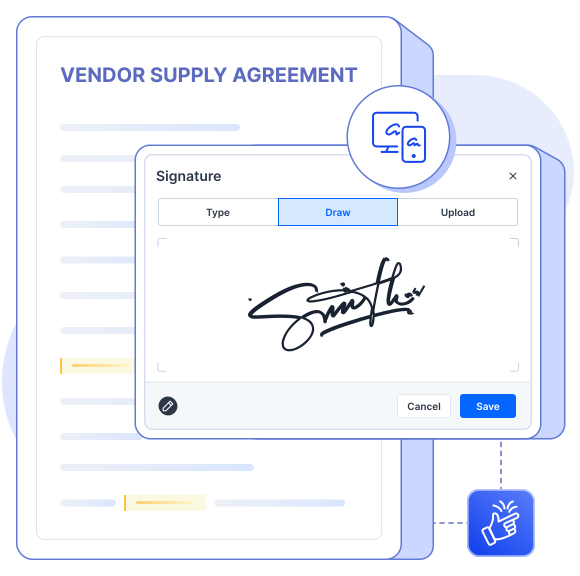
Send documents for signature, invite multiple signers, and track every signature from request to completion.
- Signature fields. Place signature, initial, and date fields anywhere on a document.
- Multiple recipients. Set a signing order across as many recipients as you need.
- Status tracking. See who has viewed, opened, and signed in real time.
- Certificate of completion. Receive a detailed certificate for every completed document, including signer activity, timestamps, and signature details.
Electronic Signature preview
Form Builder
Create forms that move your business forward
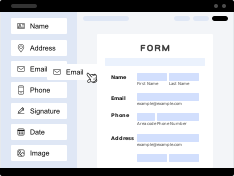
Build powerful online forms with drag-and-drop simplicity, smart conditional logic, and seamless customization to match your brand.
- Drag-and-drop fields. Add text, choice, upload, and payment fields without code.
- Conditional workflows. Show or hide questions based on how someone answers.
- Custom branding. Apply your logo, colors, and fonts to every form.
- Response management. Review, filter, and export your form responses to Excel.
Form Builder preview
Fillable PDFs
Turn any PDF into a smart, fillable form
Upload a PDF, drop in fillable fields, and reuse the same template every time you need to collect information.
- Upload & tag fields. Add text, date, and checkbox fields directly onto a PDF.
- Reusable templates. Save a tagged PDF once and send it repeatedly.
- Completed documents. Generate a finished, filled PDF the moment someone submits.
- Download completed PDFs. Download finished documents instantly, ready to save, share, or use anywhere.
Fillable PDF preview

Why DT Form
Everything you need to collect, complete, and sign, in one place.
One platform, not three
Replace separate form, PDF, and signature tools with a single subscription.
Built for teams
Keep your team aligned with shared templates, permissions, and responses.
Fast to set up
Launch your first form or fillable PDF in minutes, not weeks.
Secure by default
Encryption in transit and at rest protects every document you send.
Works on any device
Forms and PDFs are fully responsive for recipients on mobile.
Scales with you
Start free and grow into enterprise-grade workflows on the same platform.
Built For Every Team